OpenSearch Serverless NextGen: What's New, and How to Migrate from Classic
Tags:aws · opensearch · serverless · cloud
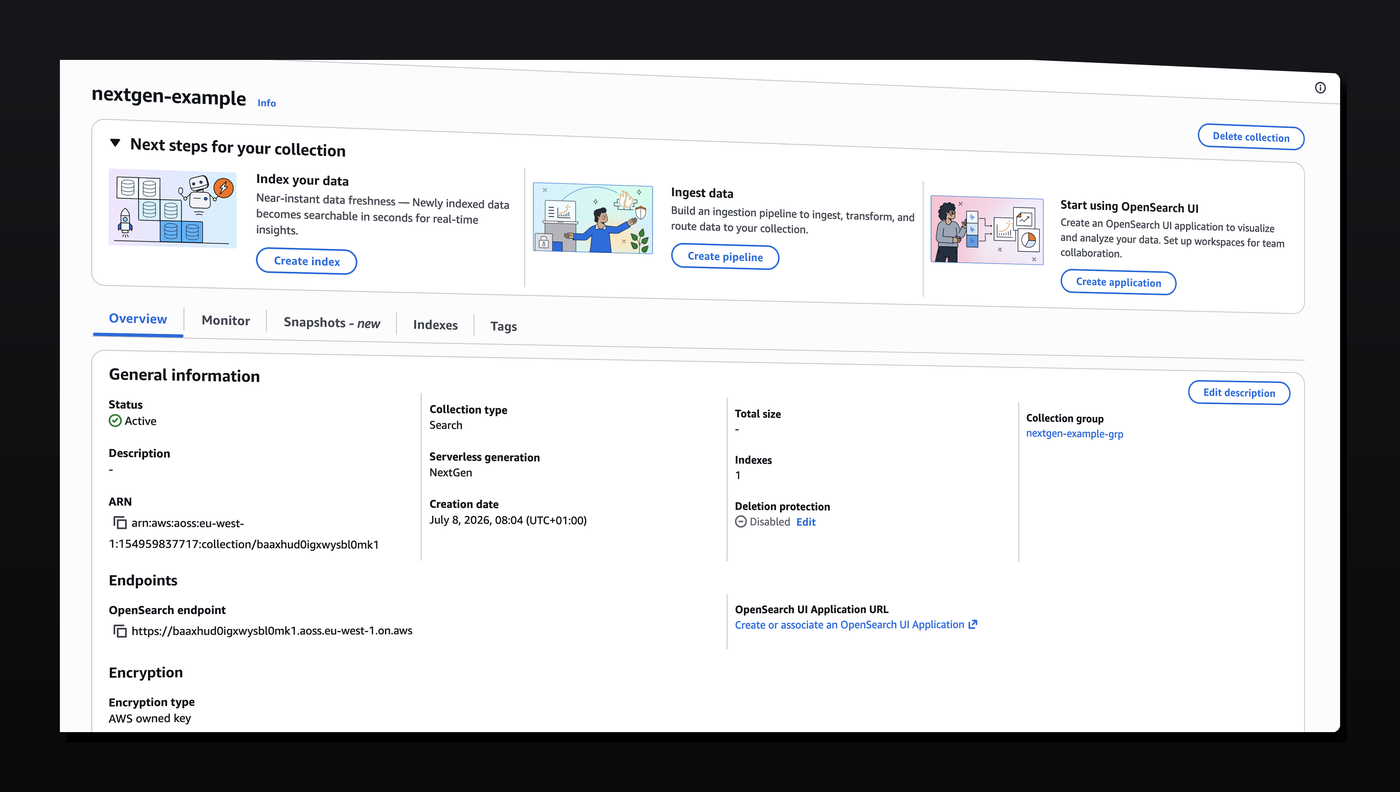
AWS has rolled out a new generation of OpenSearch Serverless. If you're currently on Classic collections, it's worth understanding what's actually changed before deciding whether — and how — to move.
The problem with Classic
OpenSearch Serverless Classic was a great way to get started with OpenSearch without managing cluster sizing yourself. But it had one expensive catch: the minimum indexing and search capacity was fixed at 2 OCUs each, regardless of whether your index was doing anything. (An OCU, or OpenSearch Compute Unit, is the billing unit AWS uses for serverless compute and memory capacity — you're charged per OCU-hour whether or not it's actually processing anything.) For an always-on production workload that's a reasonable floor. For a staging environment, a side project, or anything with bursty or intermittent traffic, you're paying a constant baseline cost 24/7 for capacity you're mostly not using.
What NextGen changes
The headline feature: NextGen can scale down to zero. If nothing's querying or indexing, you stop paying for that capacity.
There's a real trade-off to know about before you migrate: scaling up from zero isn't instant. If your search capacity has scaled to zero, the first request back can see latency in the tens of seconds while it spins back up. For dev/staging that's a non-issue. For production, you'll want to keep at least 1 unit of search capacity always on so user-facing queries never hit a cold start — you can still let indexing scale to zero if ingestion is intermittent.
The upside on the scaling side isn't just the zero floor. AWS reports NextGen scales roughly 20x faster than Classic, in both directions — it reacts to load spikes faster, and it scales back down faster too, which is what actually turns "can scale to zero" into "spends most of its time at zero" instead of getting stuck at higher capacity from residual traffic.
NextGen also lets you set minimum and maximum capacity independently for indexing and search. So rather than a single fixed floor applying to both, you can, for example, let indexing scale to zero while keeping a minimum of 1 OCU on search — or cap maximum capacity on either side if you want a hard ceiling on cost regardless of load.
Why this matters for cost
In short: you're no longer stuck paying for a fixed floor of 2+2 OCUs whether you need it or not. You pay for roughly what you actually use. That's most impactful for dev, staging, and any environment with uneven or intermittent traffic — the exact cases where Classic's fixed minimum was hardest to justify.
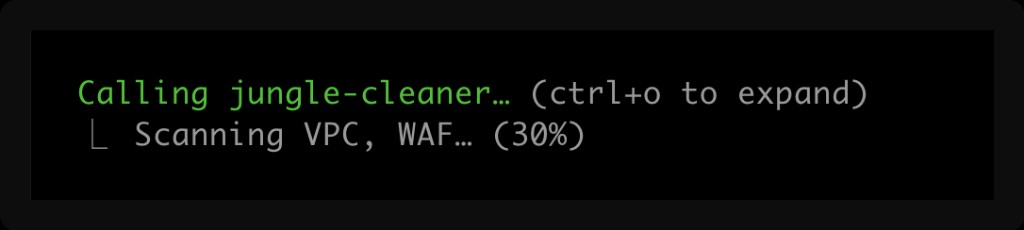
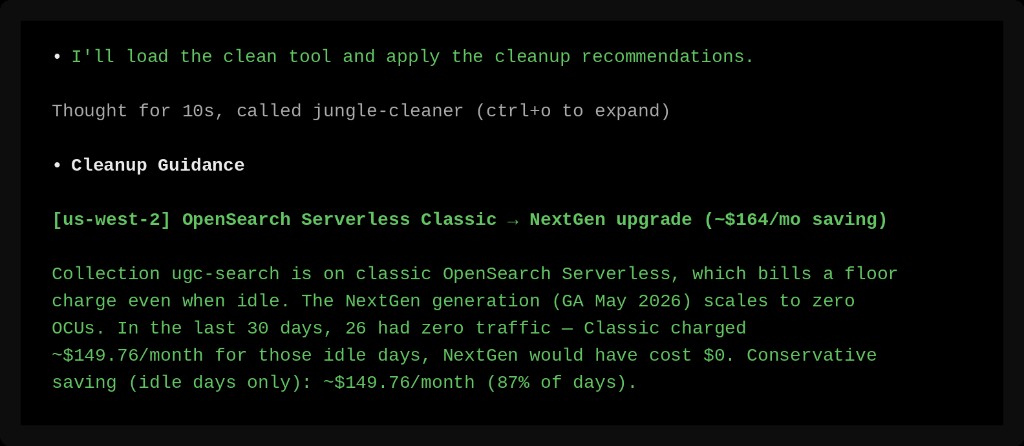
Whether this is actually worth doing depends on your traffic pattern, though — a consistently busy production index may not see much of a difference. If you want a quick look at whether you'd see real savings before committing to a migration, you can run the Jungle Cleaner MCP scan tool against your account — it looks at your current OpenSearch Serverless usage and estimates what you'd save by moving to NextGen.
Why the migration isn't a simple upgrade
There's no in-place upgrade path. Collection generation (Classic vs. NextGen) is immutable in OpenSearch Serverless — you can't flip a setting on an existing collection. You have to:
- Create a brand-new NextGen collection group, then a collection inside it (with its own access, network, and encryption policies)
- Copy your data across
- Point your application at the new endpoint
- Delete the old Classic collection once you've confirmed the cutover worked
AWS doesn't provide a first-party tool for step 2. Their own recommendation for cross-collection copies is to stand up an OpenSearch Ingestion pipeline — which means an IAM role, a data access policy, pipeline YAML, and its own OCU capacity, just for a one-time copy job. That's a lot of infrastructure for something you'll run once.
Setting up the new NextGen group and collection
We've put together a simple example stack — a single Lambda connecting to the index — showing how to provision a NextGen collection with sensible defaults (access policy, network policy, encryption policy): opensearch-nextgen.yaml. If you're setting this up with a coding agent, it's worth pointing it at our template as a guide rather than letting it write the policies from scratch — agents often trip up on NextGen because their training data cuts off before these settings existed, so they'll confidently reach for Classic-era configuration that doesn't apply.
Migrating the data
Once your NextGen collection exists and is up and running, use our open source migration script to copy everything over:
migrate-opensearch-classic-to-nextgen.py
A few things worth knowing about how it works:
- No
_reindex. Serverless doesn't support_reindexwith a remote source, so the script copies documents directly — opening a Point-in-Time on the source index, paginating withsearch_after, and writing batches via_bulk. This is the same fundamental approach an Ingestion pipeline uses under the hood, minus the setup overhead. - It's idempotent. Documents are written to the target with their original
_id, so re-running the script never creates duplicates — it just overwrites with identical content. This matters in practice: if new data gets written to the old collection while you're mid-migration, you can point your application at the new collection and then simply run the script again to pick up anything that landed after your first pass. - Mappings and analyzers come across too. Custom field mappings and analyzers are copied before data, so the target index doesn't end up with OpenSearch guessing field types via dynamic mapping.
- Failures don't kill the run. Any document that fails after a retry gets logged to a separate file instead of aborting — one bad document won't block migrating the other few million.
Basic usage:
python3 migrate-opensearch-classic-to-nextgen.py \
  --source-collection-id <classic-collection-id> \
  --target-collection-id <existing-nextgen-collection-id> \
  --region us-east-1
Add --dry-run first to see index and document counts without copying anything.
After the migration
Once you've cut your application over to the NextGen endpoint and confirmed traffic is flowing correctly, delete the old Classic collection to stop paying for it:
aws opensearchserverless delete-collection --id <classic-collection-id>
To help you clean it up, use the Jungle Cleaner MCP cleanup tool, which will identify the exact commands you (or your agent) needs — it verifies the old Classic collection has had no read or write activity since your cutover before suggesting removal, so you're not deleting anything that's still quietly in use somewhere.
FAQ
What's new in OpenSearch Serverless NextGen? NextGen can scale indexing and search capacity down to zero, and scales roughly 20x faster than Classic in both directions. Classic had a fixed minimum of 2 OCUs each for indexing and search, regardless of usage.
Can I upgrade a Classic collection to NextGen in place? No. Collection generation is immutable — you must create a new NextGen collection and migrate data into it.
Will I lose data during migration? Not if you follow the standard cutover order: create the new collection, run the migration script, verify data and application behavior against the new endpoint, and only then delete the old collection.
What happens if search scales to zero in production? The first query after a cold start can take tens of seconds to respond. Keep at least 1 unit of search capacity provisioned in production to avoid this; indexing capacity is generally safer to let scale to zero.
Does the migration script support incremental re-runs? Yes — it's idempotent by document ID, so re-running it after cutting over your application catches any writes that happened during the migration window.
How do I install Jungle Cleaner? Go to junglecleaner.com and follow the instructions there to install the MCP tool.